 Nederlands
 English
-
Log in to your Sendcloud account.
-
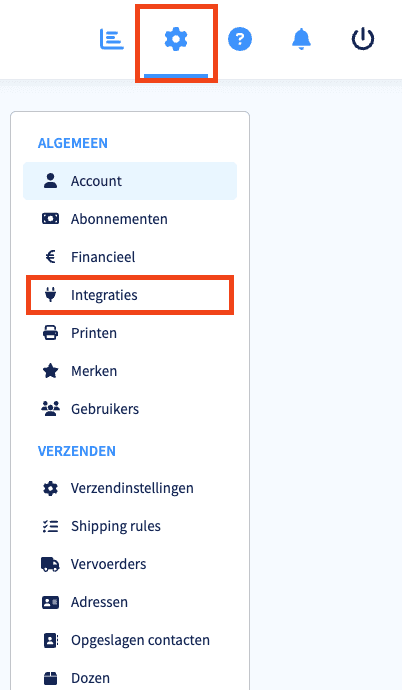
Click the gear icon in the top right to open Settings, then click Integrations.
-
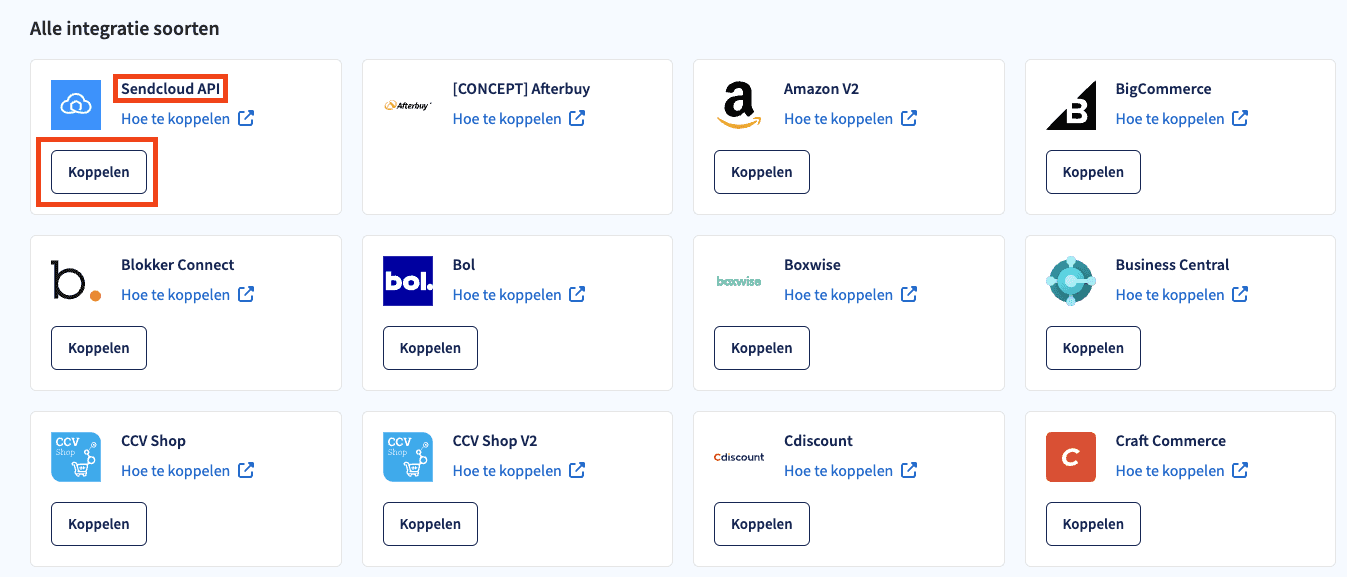
Find the Sendcloud API integration and click Connect.
-
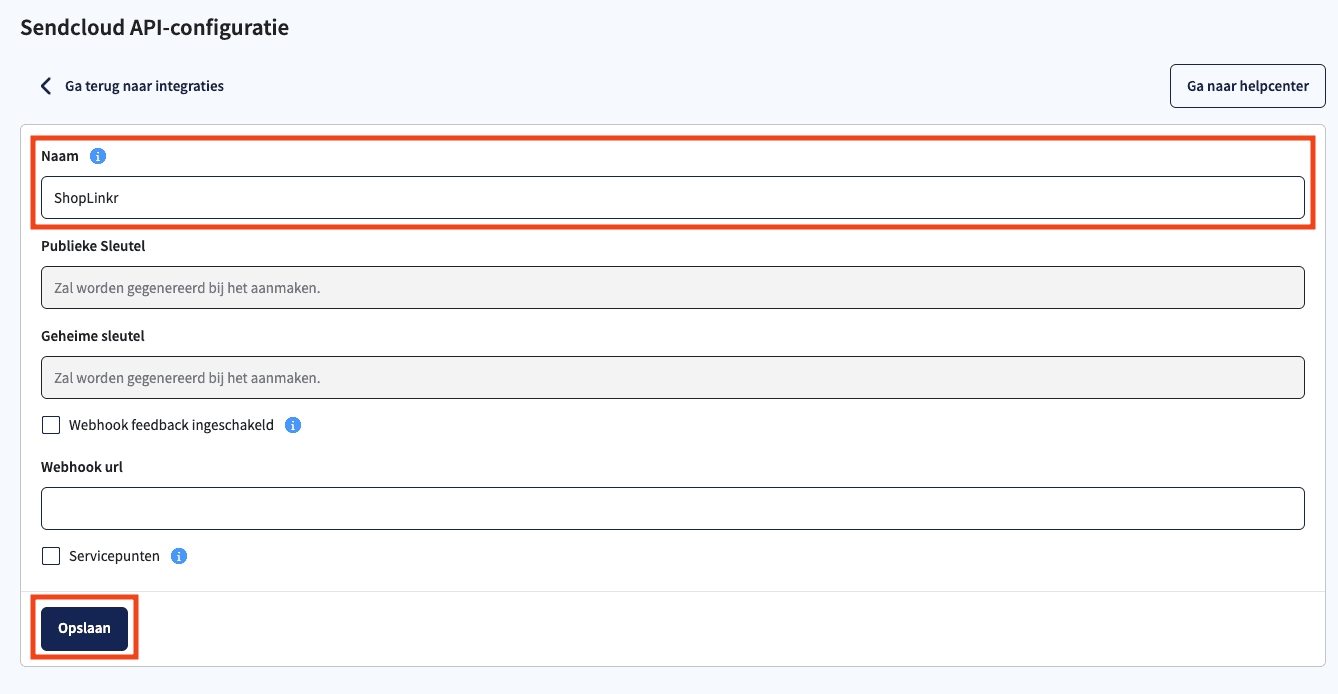
Enter "ShopLinkr" as the name and click Save.
-
You will now receive two keys: a public key and a secret key. Keep these on hand.
-
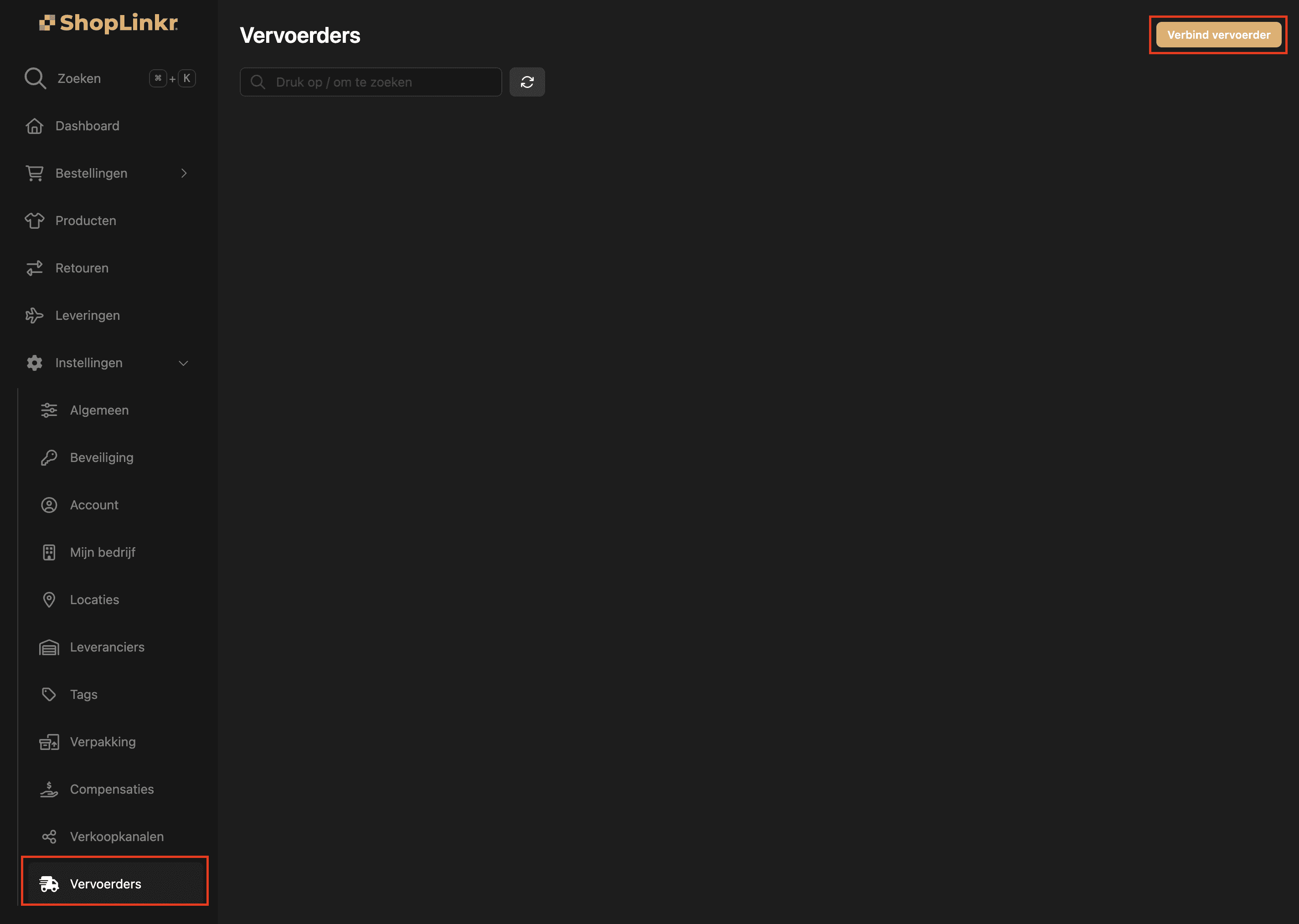
Next, in ShopLinkr go to Settings > Carriers and click Connect carrier.
-
Select Sendcloud as the type.
-
Enter the public key and the secret key. Make sure you do not include any spaces or line breaks.
-
Click Connect.
The delivery options for all open orders are refreshed from Sendcloud.
