 Nederlands
 English
Follow the steps below to connect MyParcel with ShopLinkr.
-
Log in to your MyParcel account.
-
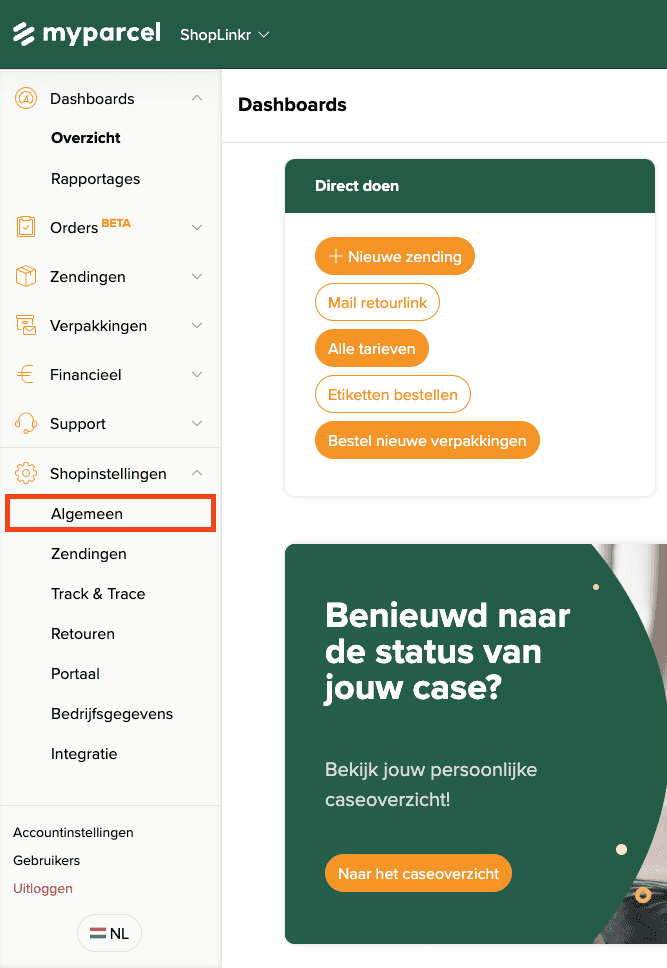
Click "Shop settings" at the bottom left, then click "General".
-
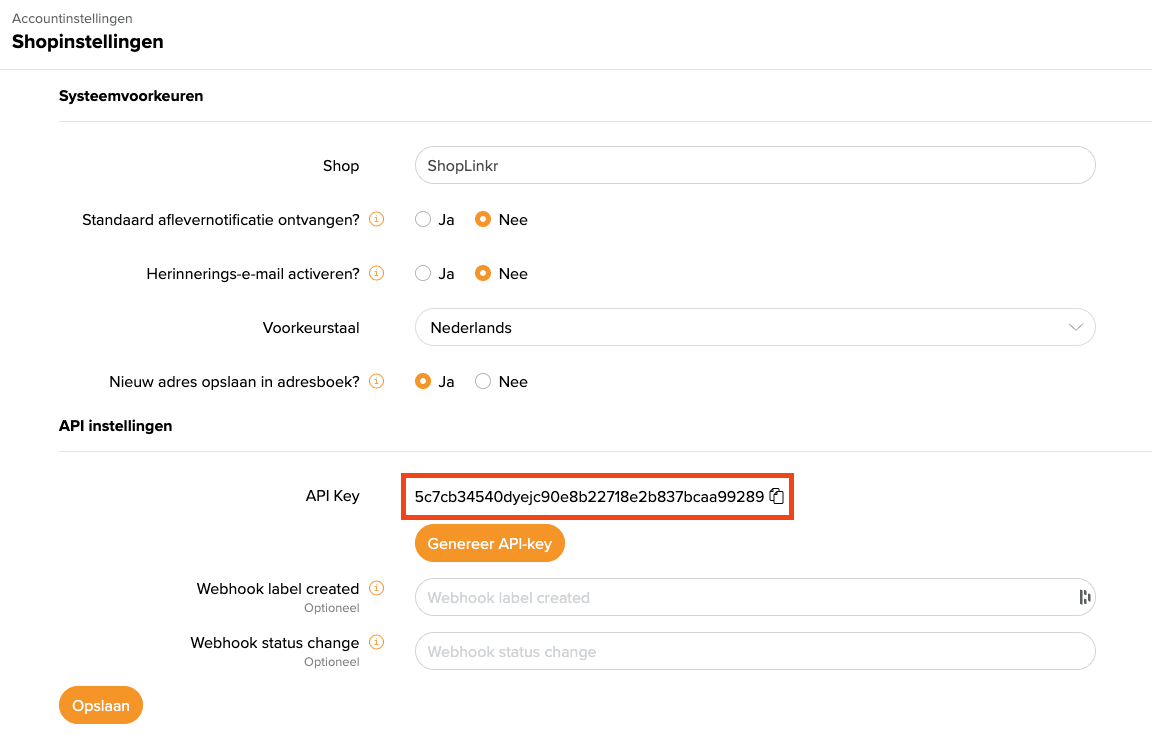
Copy the API key.
-
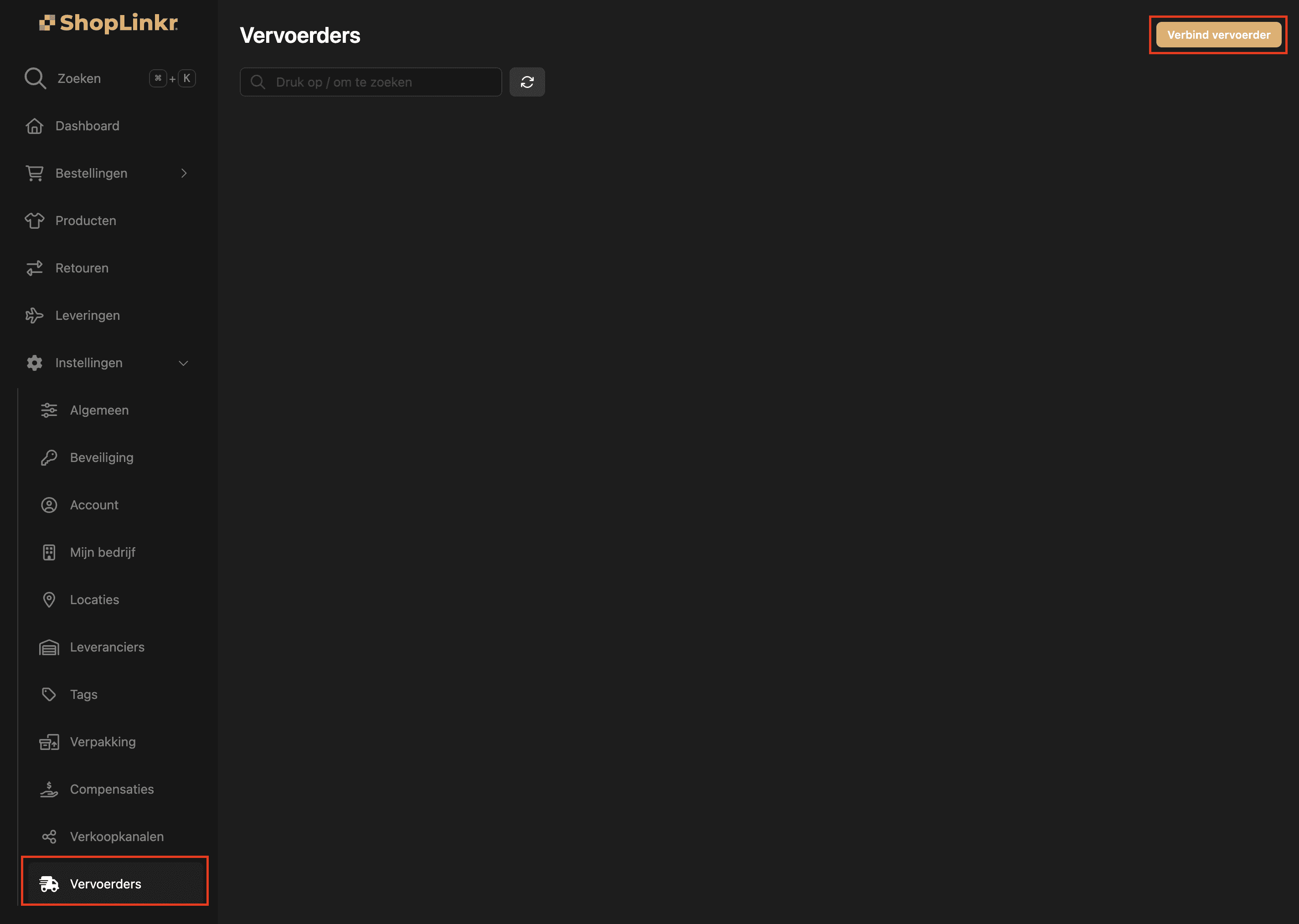
In ShopLinkr, go to "Settings" > "Carriers" and click "Connect carrier".
-
Select "MyParcel".
-
Enter the "Public key" you copied in step 3. Make sure you do not include any spaces or line breaks.
-
Click "Connect".
The delivery options for all open orders are retrieved again. This may take a few minutes.
From this moment on, ShopLinkr is the only place where you need to create your shipping labels.
